How to stream
This guide demonstrates how to stream with hackclub.tv via OBS Studio. For other streaming software, you will need to adapt these steps for your chosen software.
-
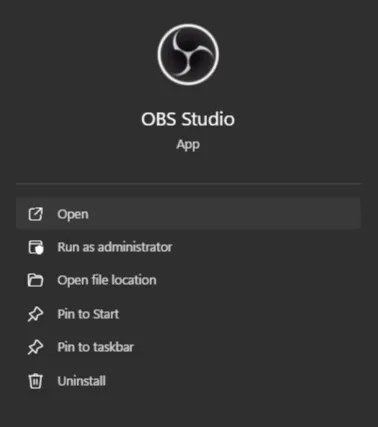
Open OBS Studio. (If it is not installed, head to this webpage to download the installer.)
-
In OBS, click
File > Settingsin the top navigation bar.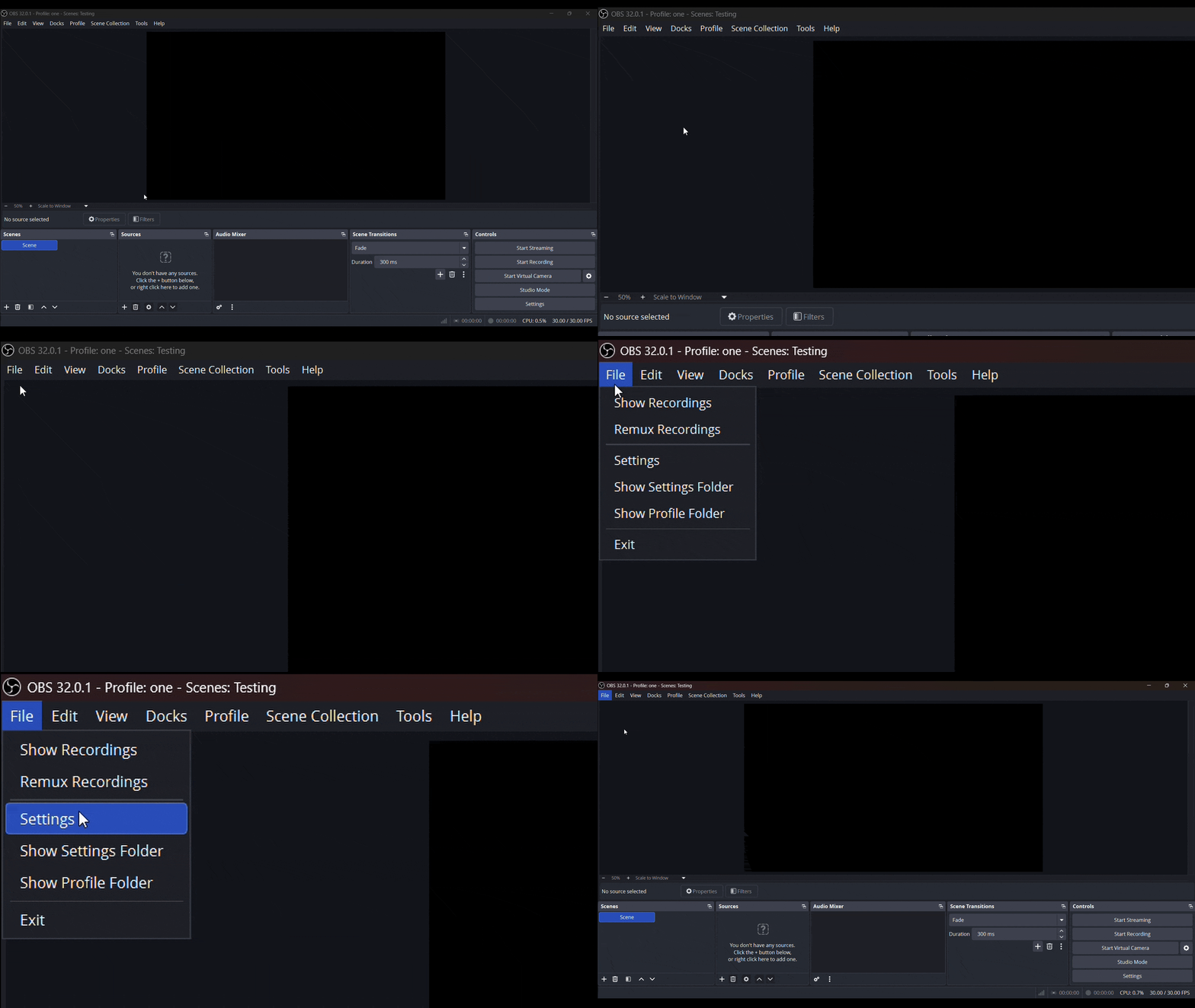
-
In the Settings popup, open
Streamfrom the sidebar. -
Set
ServicetoCustom....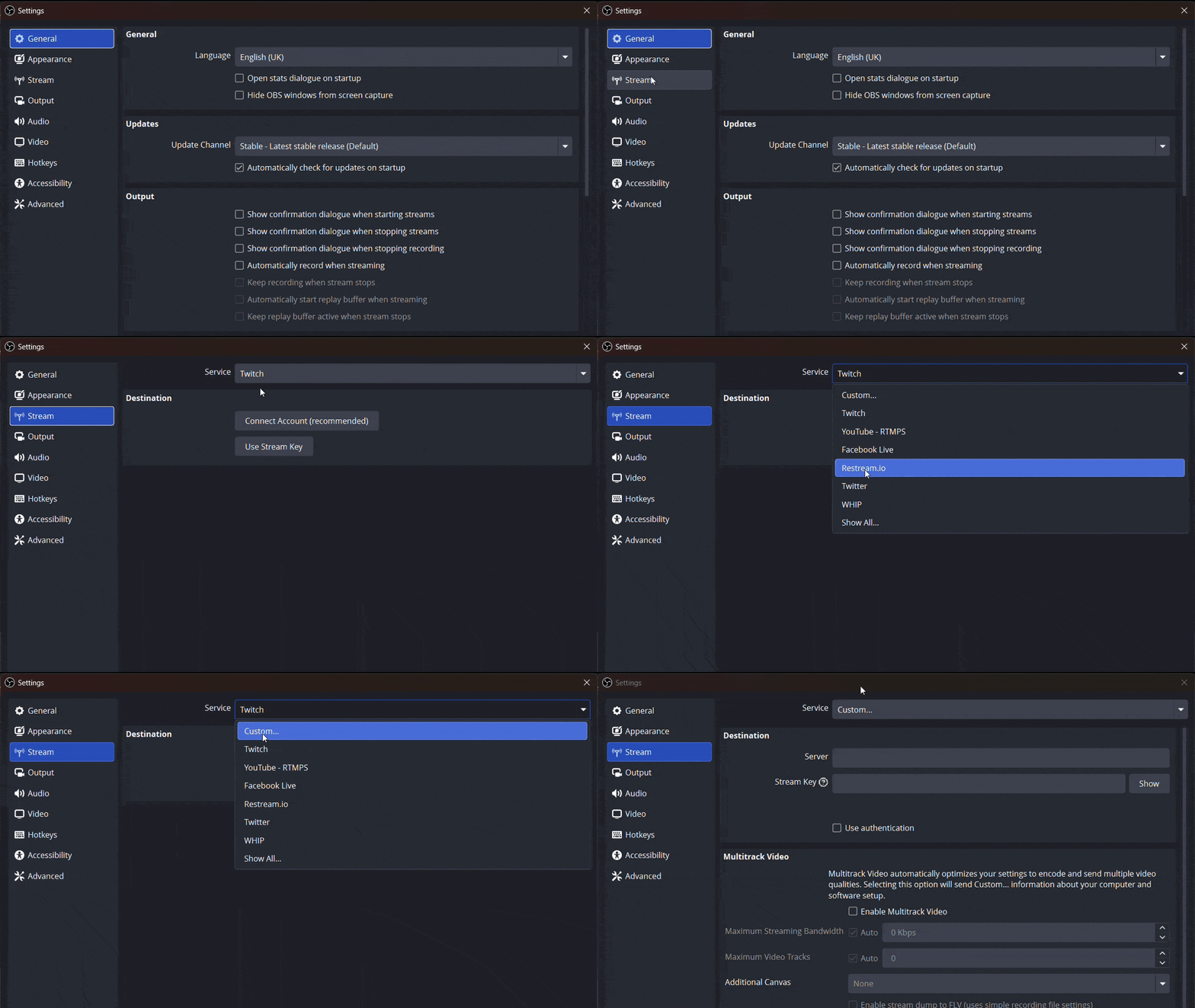
-
Go to https://hackclub.tv/settings/channel/ in your web browser.
(If you are not logged in, you may have to log in again and then try again.)
-
Under
Stream Settings, you will find yourStream KeyandStream URL. Copy theStream URLand paste it into OBS.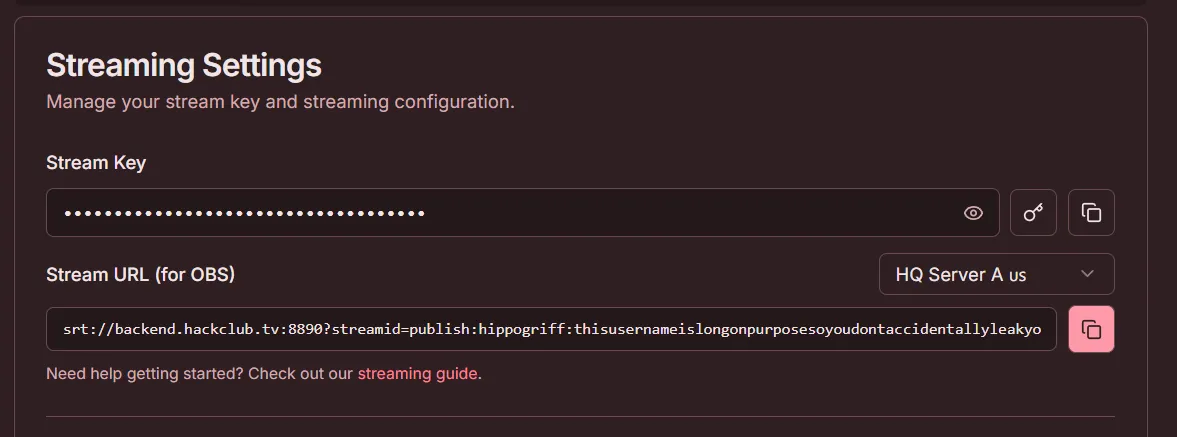
-
Go back to the website and copy the streaming key and paste it into the
Stream Keybox in OBS.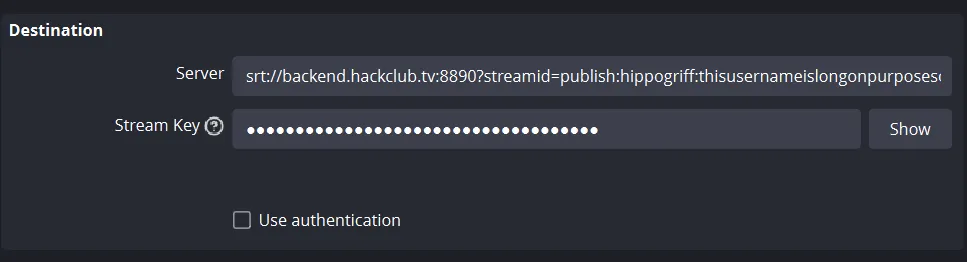
(Your OBS settings should now look like this)
-
Open
Output, switch Output Mode toAdvanced, and use these streaming settings:- Encoder: an H.264 hardware encoder when available, otherwise x264
- Rate control: CBR
- Video bitrate: 2,000 Kbps
- Keyframe interval: 2 seconds
- Profile: High
- Audio: AAC at 128 Kbps
-
Open
Videoand set the output resolution to1280x720and the frame rate to30 FPS. This should be the best balance between quality and performance for users around the world. -
You can now safely apply the changes in OBS and start streaming.
Thanks for using this guide and happy streaming!