How to stream
This guide demonstrates how to stream with hackclub.tv via OBS Studio. For other streaming software, you will need to adapt these steps for your chosen software.
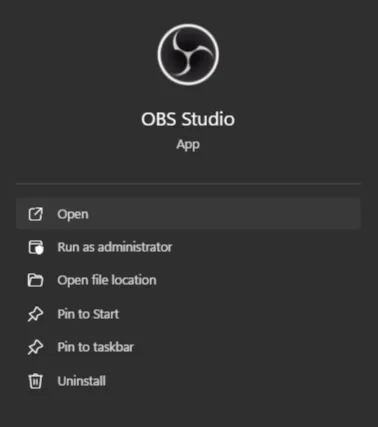
- Open OBS Studio.
(If it is not installed, head to this webpage to download the installer.)
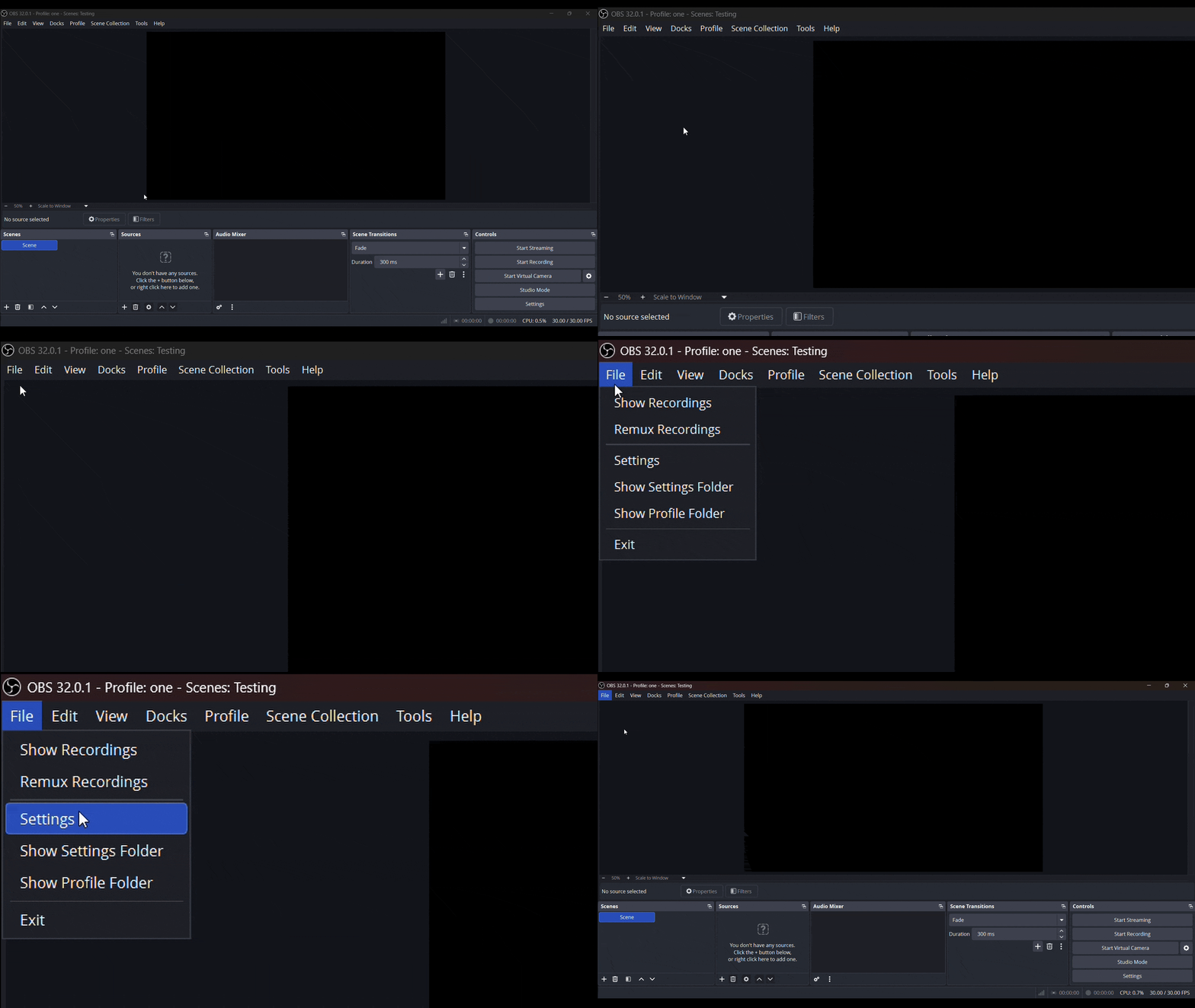
- In OBS, click
File > Settingsin the top navigation bar.
-
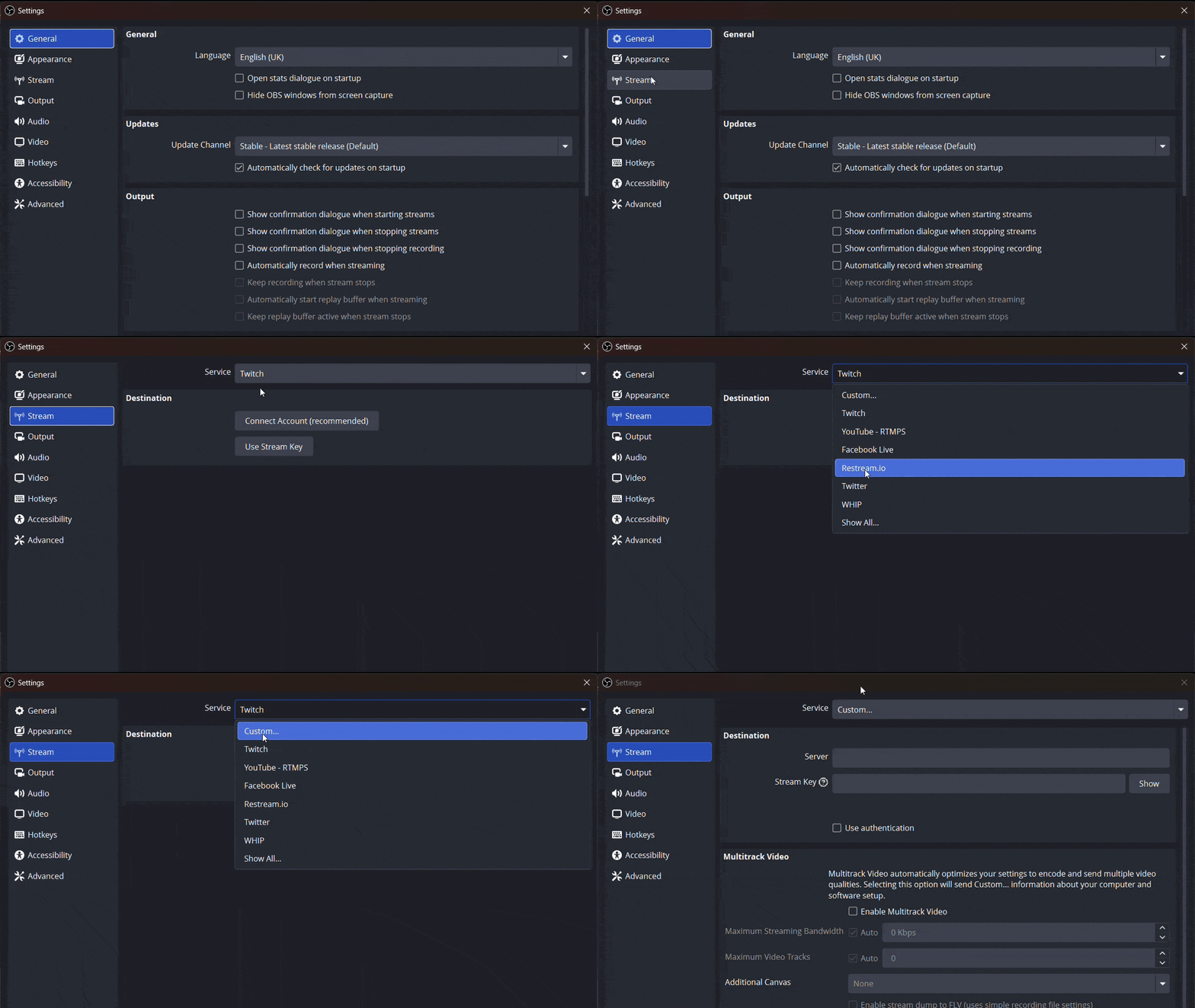
In the Settings popup, open
Streamfrom the sidebar. -
Set
ServicetoCustom....
- Go to https://hackclub.tv/settings/channel/ in your web browser.
(If you are not logged in, you may have to log in again and then try again.)
- Under
Stream Settings, you will find yourStream KeyandStream URL. Copy theStream URLand paste it into OBS.
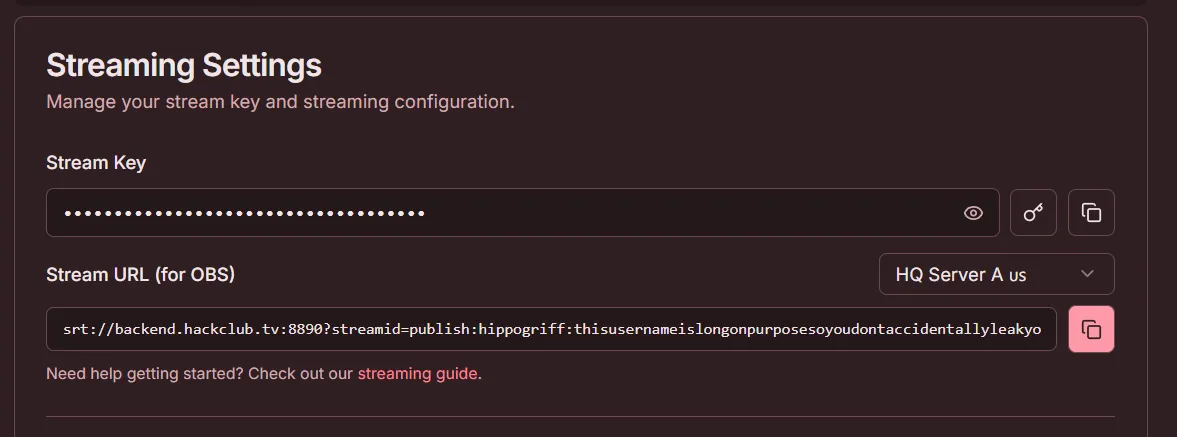
- Go back to the website and click this
 icon to regenerate your stream key. Copy the new key and paste it into the
 Stream Keybox in OBS.
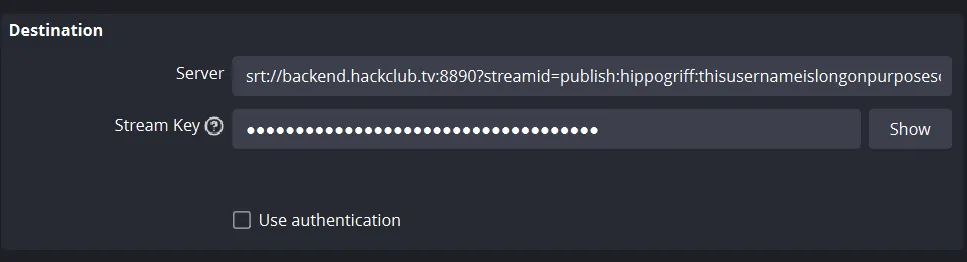 (Your OBS settings should now look like this)
- You can now safely apply the changes in OBS and start streaming.
Thanks for using this guide and happy streaming!
A video tutorial is currently being made, so check back later if you would like to see it!